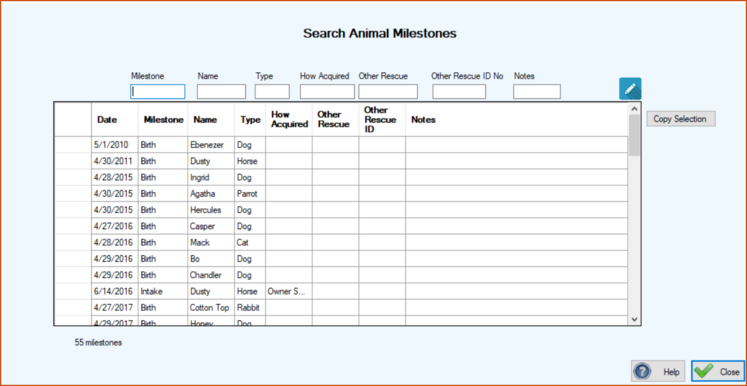
Usually you will be looking for an animal but the information that you have pertains to a milestone like adoption or maybe returned to owner. Or maybe you think you entered something into notes. When the screen first appears it will contain every animal milestone in your database. This would include those for both current and past residents. You then filter the list by entering search criteria in the text boxes above the grid.
Like our other search programs you put a character, or characters, in the text box above the field that you want to search. The grid will then list the milestones that either start with or contain that character or character sequence. You can enter additional characters in other text boxes to further filter your list. If you want to see all the adoptions that you have ever done just put an ‘a’ in the mileston text box.
Every field is a ‘Starts With’ field except Notes, it’s a ‘Contains’ field.
You can also sort the grid by clicking the column headers.
At any time you can transfer the contents of the grid to Excel by clicking in the uppermost, left hand cell of the grid to select all of the records and then clicking Copy Selection. Then go to Excel and click Paste or ‘Crtl V’.