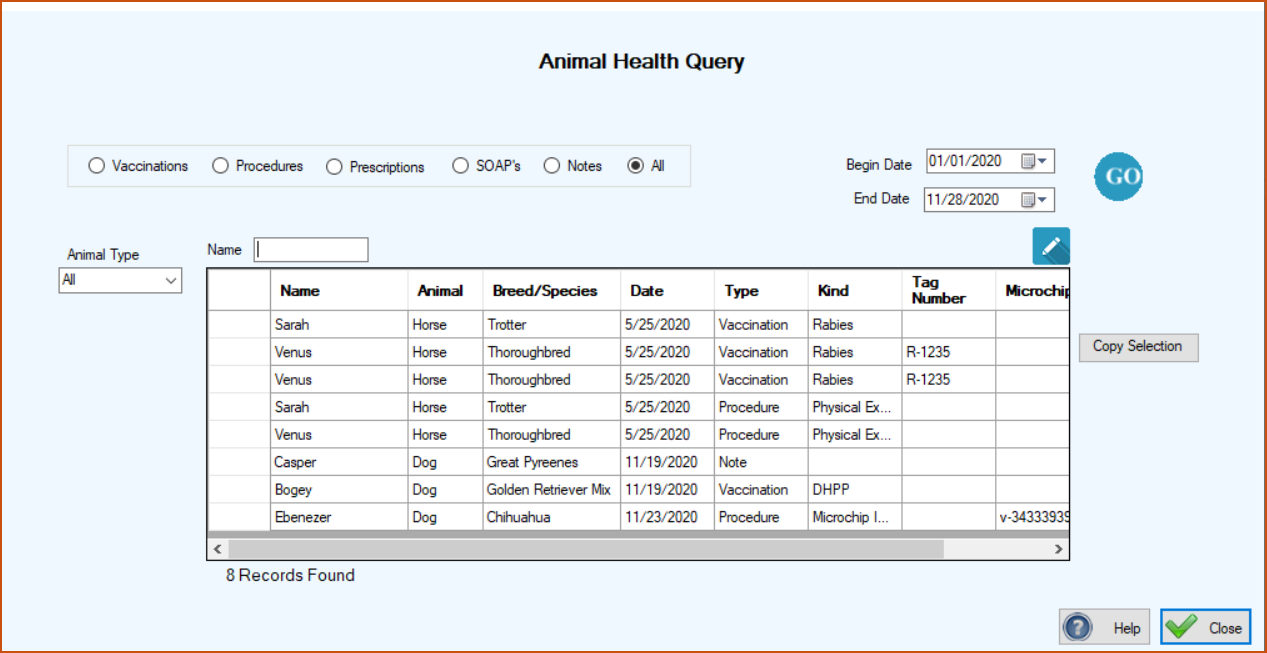
This program will provide you with all of your animal health related activities over any period of time that you specify. You can easily find out how many vaccinations, procedures, microchip implants or checks, spay/neuters, etc. over the period of time that you specify.
The default is ‘All’ health/medical records but you can specify just vaccinations, procedures, etc. You can also specify a specific animal type. Just click the parameters that you want, select the date range, and click ‘Go’. The grid will fill with the health records that meet your criteria.
These results are good to report in newsletters to your rescue family. People want to know how you’re doing and with this program you’ll be able to tell them.
The grid can be sorted by clicking the column headers You can transfer the contents of the grid to Excel by clicking in the uppermost, left hand cell of the grid to select all of the records and then clicking Copy Selection. Then go to Excel and click Paste or ‘Crtl V’.