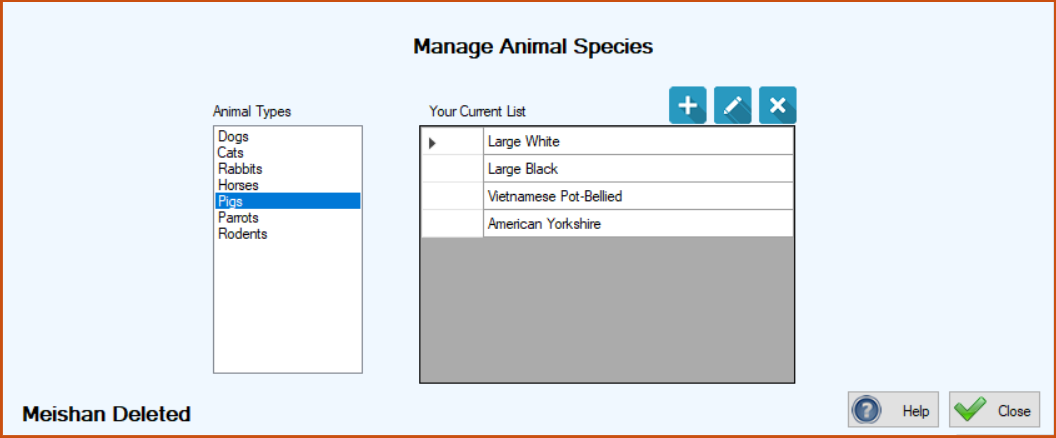
In TTR, Animal Species is equivalent to breed, such as poodle and chihuahua for dogs and chinchilla and Persian for cats. Each Animal Species you add to your database must be associated with an established Animal Type, so before you can create a list of Animal Species, you must first create a list of Animal Types. Once Animal Types exist in your system, you can easily add Animal Species by following the procedures shown below. After you create a list of Animal Species during your TTR setup, those species become available for selection on other animal screens. When you do your initial setup, add only the breeds you encounter most often. When you take in a new breed that isn’t in your existing list, you can easily add it by following these same procedures.
On this Help page, we have included the steps for adding, editing, and deleting an Animal Species.
To Add an Animal Species
On the TTR Home screen, select Animal Species in the Customization section, or click Customization on the horizontal navigation bar at the top of the Home screen and select Animal Species from the dropdown list.
The Manage Animal Species screen appears. The list of Animal Types you have set up in your system is displayed at the left.
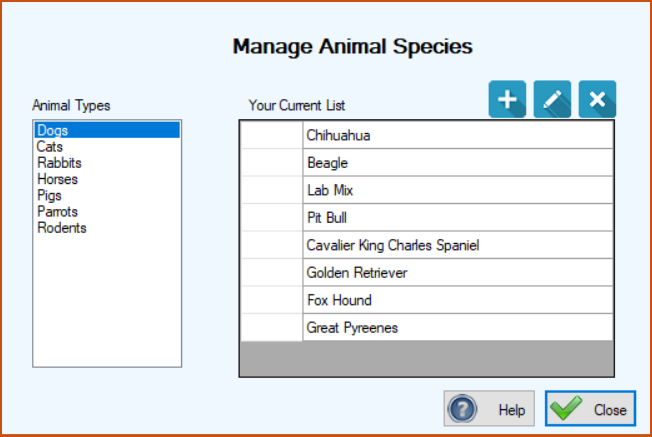
In the list of Animal Types, click the Type for which you want to add a Species.
Click the blue Add ( ) button. The Animal Species screen appears, showing the Animal Type you selected on the Manage Animal Species screen.
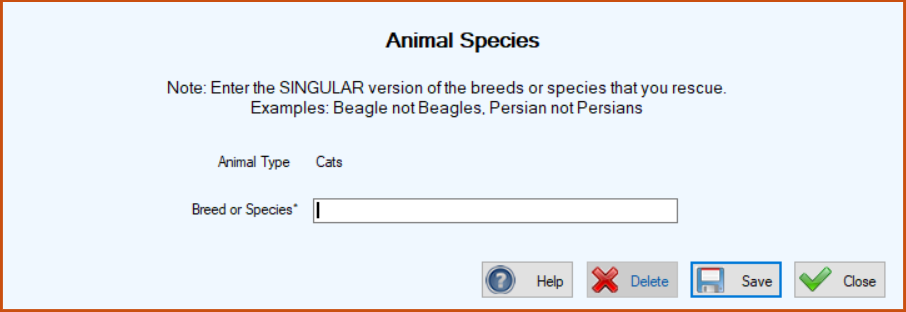
) button. The Animal Species screen appears, showing the Animal Type you selected on the Manage Animal Species screen.Enter the Breed or Species (in singular form) that you wish to add for the selected Animal Type. (In this example, for the Animal Type of Cats, we are adding “Siamese.”)
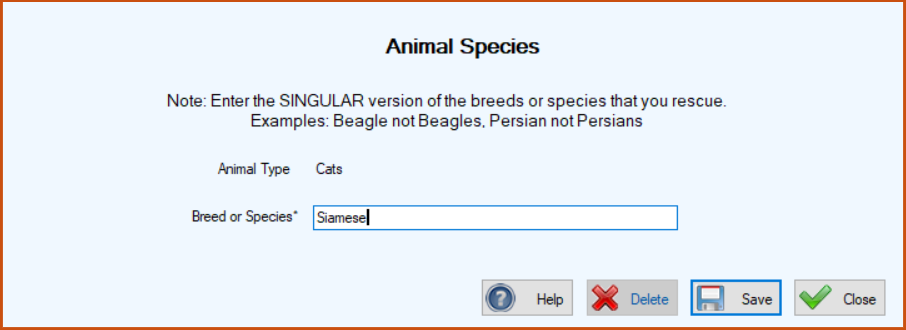
Click Save. The Animal Species screen closes, returning you to the Manage Animal Species screen where your new entry appears in the center grid, along with a confirmation message in the lower left corner.
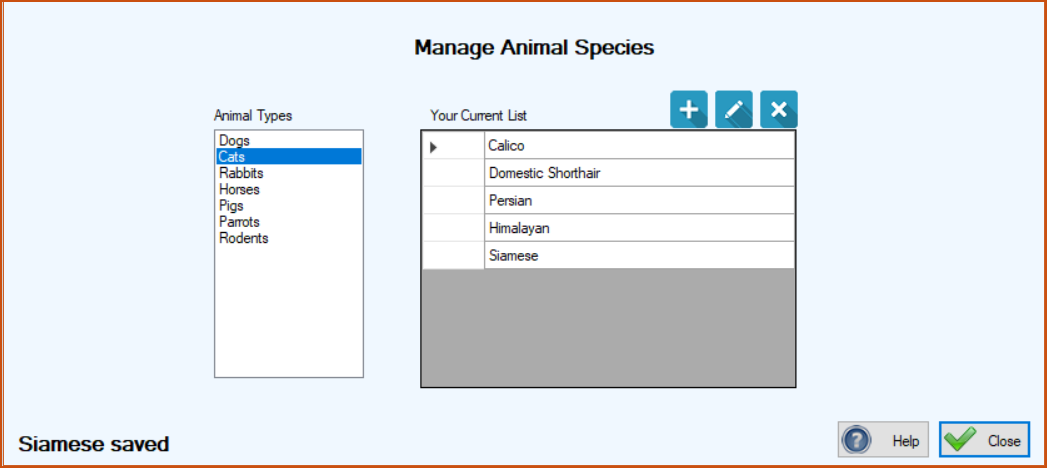
Click Close to close the Manage Animal Species screen.
To Edit an Animal Species
On the Manage Animal Species screen, select the Animal Type from the list on the left.
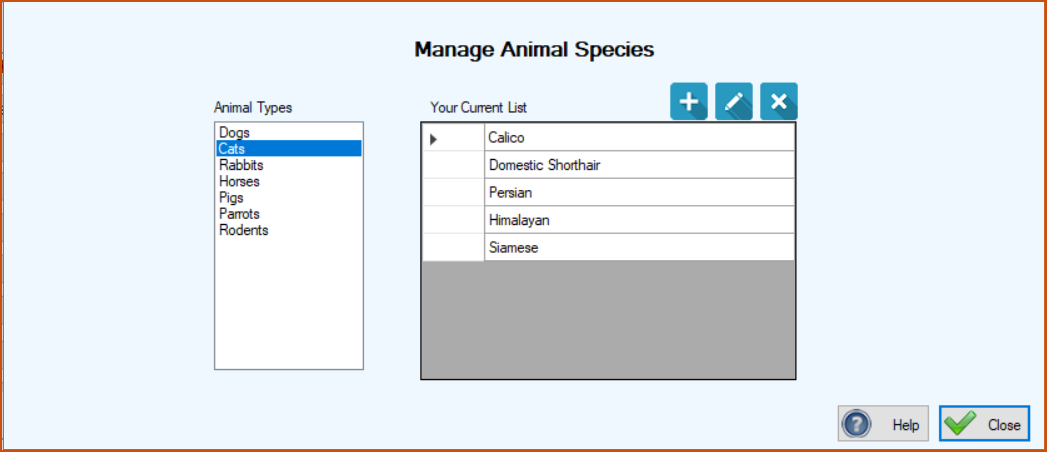
In the center grid under “Your Current List,” double-click the blank cell to the immediate left of the Species you want to edit to select the entire row. The Animal Species screen appears, ready for editing.
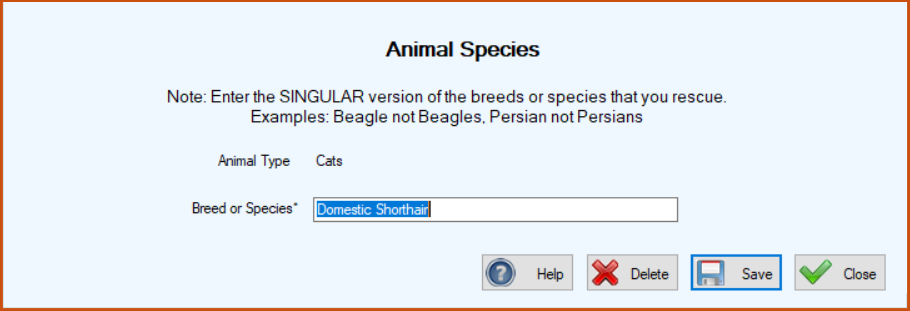
Type your desired changes in the Breed or Species field.
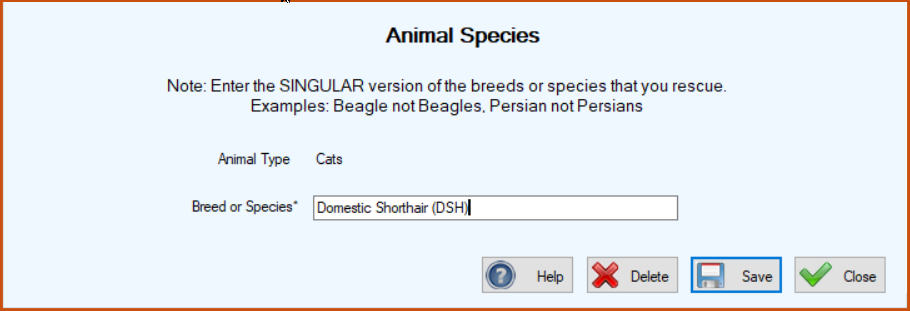
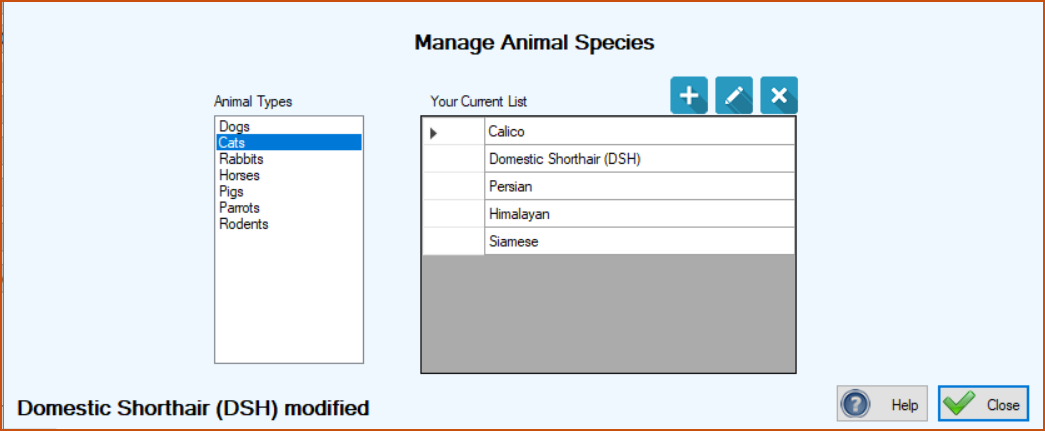
Click Save. The Animal Species screen closes, returning you to the Manage Animal Species screen, where your change appears in the center grid, along with a confirmation message at the lower left.
To Delete an Animal Species
On the Manage Animal Species screen, select the Animal Type for the Species you want to delete.
In the center grid, select the entire row of the Species you wish to delete by clicking the empty cell to its immediate left.
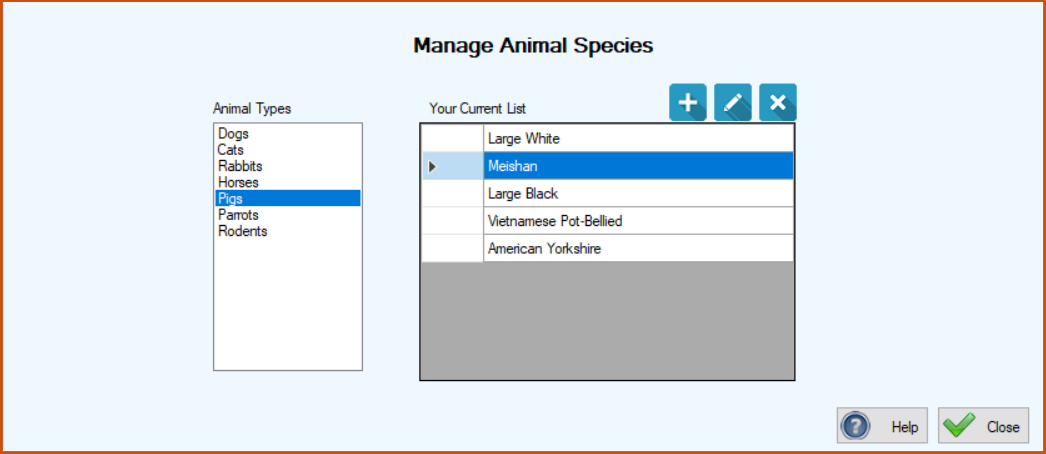
Click the blue Delete button ( ). A confirmation window pops up to make sure you really want to delete the item.
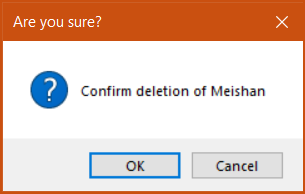
). A confirmation window pops up to make sure you really want to delete the item.If you want to continue with the deletion, click OK. The confirmation window closes and your deleted item no longer appears on the Manage Animal Species screen. You’ll also see a confirmation message in the lower left corner.