
Potential fosters and adopters of your rescued animals will want to know as much as possible about the animals before making a commitment, so it is helpful to add behaviors, traits, and characteristics to the animal records.
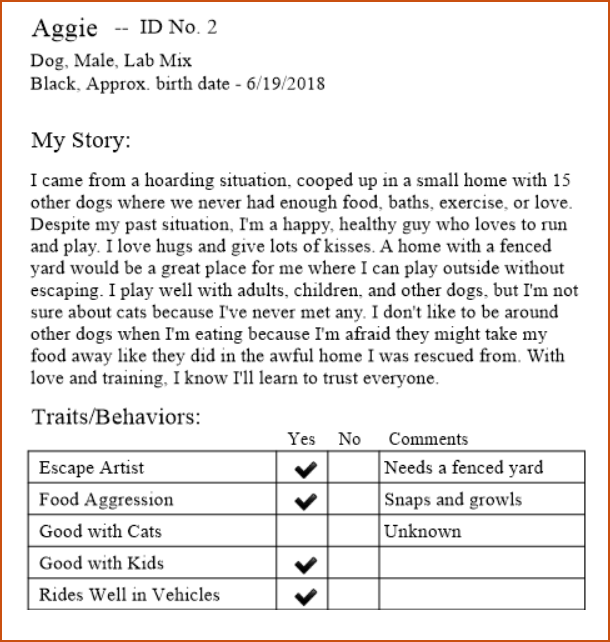
With Traits/Behaviors information and the information you can include in the My Story section when you create the animal record, a potential foster or adopter will learn a lot about an animal just by reading a printed animal report like this one:
You can also edit and delete any behaviors, traits, and characterists that you add to TTR.
Important Note: Before you can assign behaviors, traits, and characteristics to an animal record, you must first set up a list of these for each Animal Type in your system.
To Create a New Behavior, Trait, or Characteristic
-
On the TTR Home screen, click Animal Behaviors in the Customization section, or click Customization on the horizontal navigation bar at the top of the Home screen and select Animal Behaviors from the dropdown list.
-
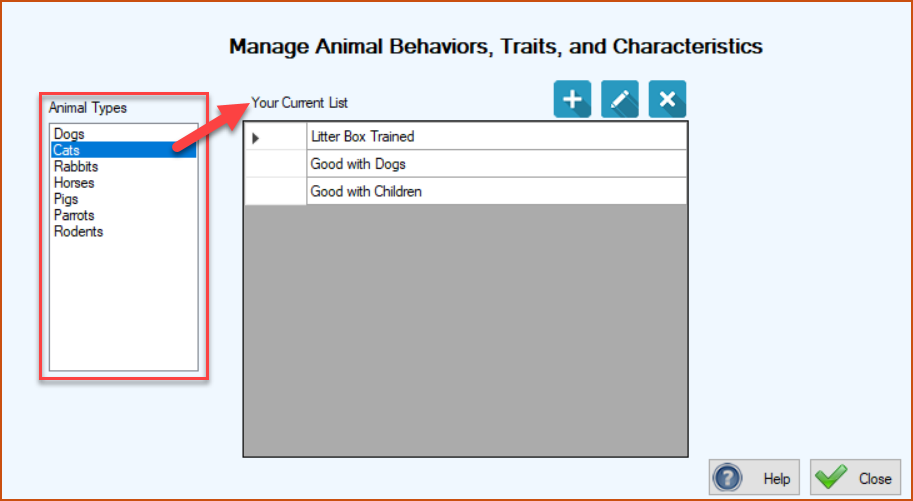
The Manage Animal Behaviors, Traits, and Characteristics screen appears, with the first item selected in the Animal Types list on the left. Items appearing in the center grid under the heading “Your Current List” are behaviors that have already been created for the selected Animal Type.
-
Select the Animal Type in the list on the left for which you want to add a behavior, e.g., Rabbits.
-
Click the blue Add button (
 ). The Animal Behavior, Trait, or Characteristic screen appears, showing the selected Animal Type and the empty Behavior field, ready for your entry.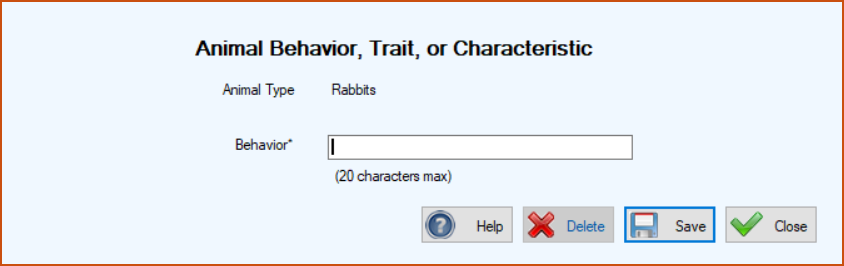
-
Type in the Behavior information and click Save. You are returned to the Manage Animal Behaviors, Traits, and Characteristics screen, where the behavior you added for the selected Animal Type now appears in the center grid, and a confirmation message appears in the lower left corner of the screen.
To Edit an Existing Behavior, Trait, or Characteristic in the List
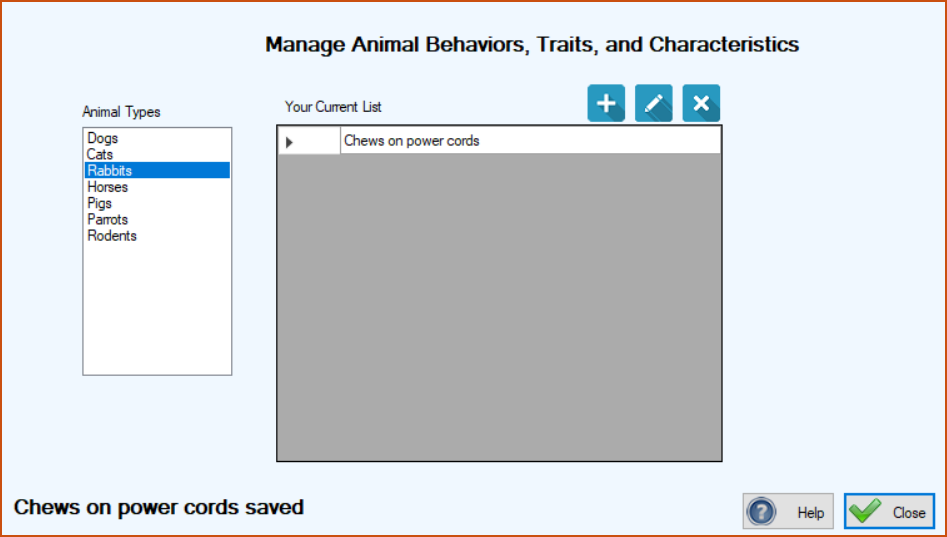
1.On the Manage Animal Behaviors, Traits, and Characteristics screen, select the Animal Type for the behavior you want to edit.
2. In the center “Your Current List” grid, double-click the cell to the immediate left of the behavior you want to edit. The Animal Behavior, Trait, or Characteristic screen appears, showing the selected Animal Type and the Behavior, ready for editing.
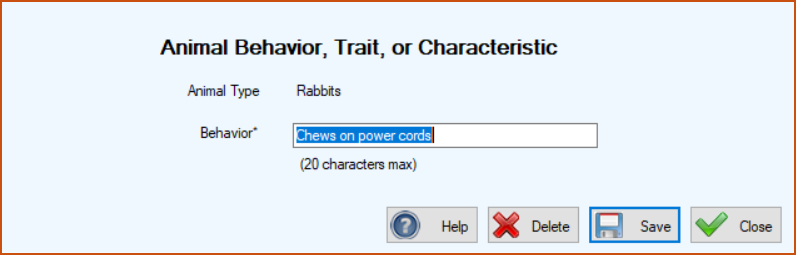
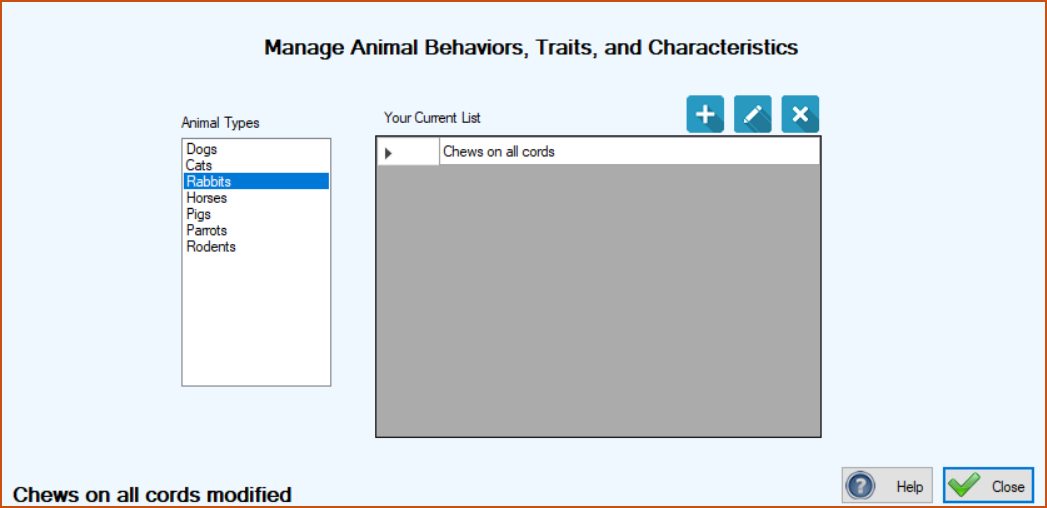
3. Type in your changes and click Save. You are returned to the Manage Animal Behaviors, Traits, and Characteristics screen, where your edited item appears in the center grid for the selected Animal Type, along with a confirmation message in the lower left corner.
Top of page
To Delete a Behavior, Trait, or Characteristic from the List
1.On the Manage Animal Behaviors, Traits, and Characteristics screen, select the Animal Type for the behavior you want to delete.
2.In the center “Your Current List” grid, select the entire row for the item you want to delete by clicking the cell to its immediate left.
3.Click the blue Delete button ( ). A popup window will appear, asking if you’re sure you want to make the deletion.
). A popup window will appear, asking if you’re sure you want to make the deletion.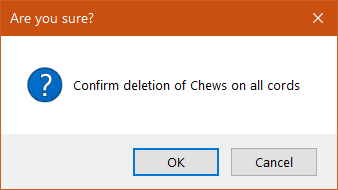
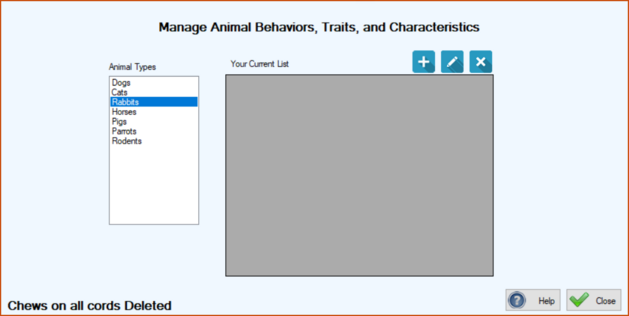
4.To complete the deletion, click OK in the popup window. The popup disappears and you are back at the Manage Animal Behaviors, Traits, and Characteristics screen, where the item you deleted for the selected Animal Type no longer appears in the center grid, and a confirmation message appears in the lower left corner.
Top of page