
-
Vaccinations
-
Procedures and Tests
-
Prescriptions
-
SOAPs
-
Health Notes
To view an animal’s Health History:
1.On the TTR Home screen, click the Animals button to open the Manage Animals screen.
2.On the Manage Animals screen, select the animal by clicking the leftmost cell on the row containing the animal’s information.
3.Click the Health History button at the bottom of the list under Animal Health at the right side of the screen. The Health History screen opens, displaying a chronological list of all health-related entries for that animal. (Note: If you wish to sort the list differently, click the desired column heading. For example, click Type to sort alphabetically by type of health entry.)
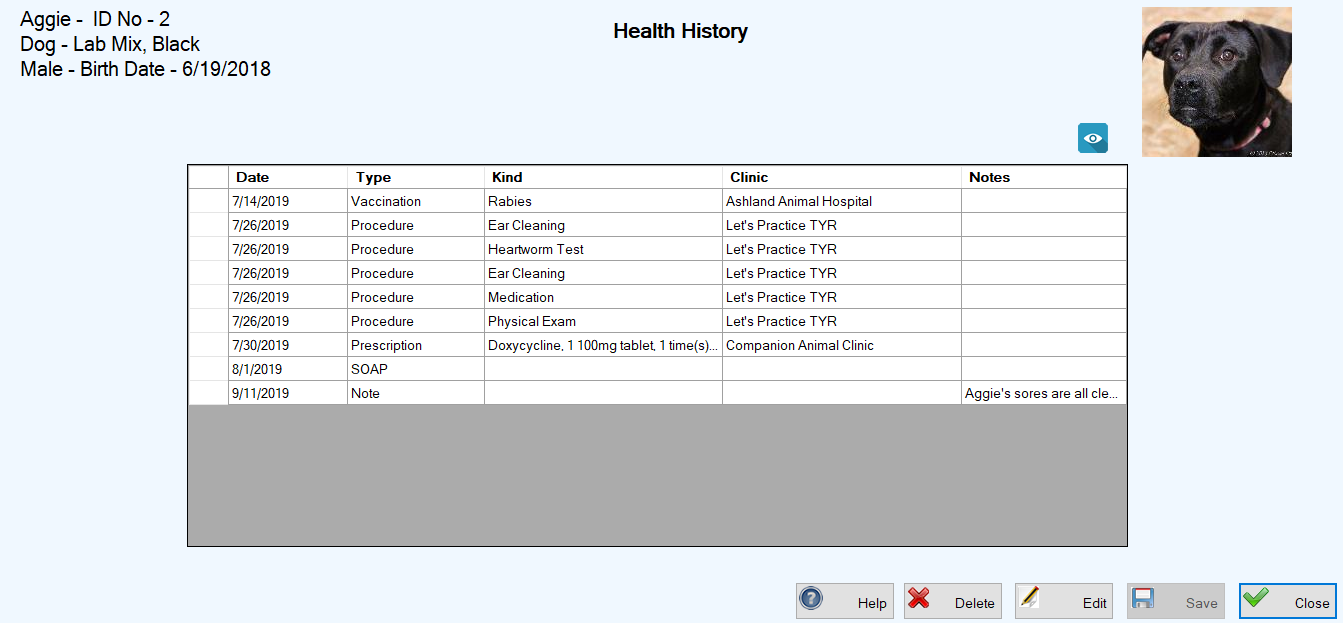
To edit a Health History item:
1.On the Health History screen, double-click the leftmost cell on the row containing the item.
2.Click the relevant link below to follow the procedures for editing that particular type of item:
To delete a Health History item:
1.On the Health History screen, double-click the leftmost cell on the row containing the item.
2.Click the relevant link below to follow the procedures for editing that particular type of item: