
- Vaccination and procedure reminders
- Medication reminders
Viewing & Printing a “Vaccinations and Procedures” Reminder List
- Vaccinations and Procedures button on the TTR Home screen
- Vaccinations/Procedures button under Reminders on the left side of the Manage Animals screen
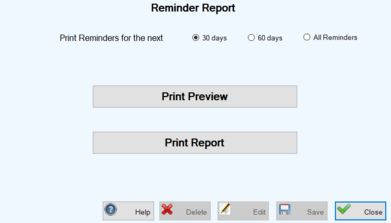
1.On the TTR Home screen, click the Vaccinations and Procedures button to open the Vaccination and Procedure Reminders screen.

-
If you wish to print the report without viewing it first, follow the instructions in Step 3.
-
If you wish to view the report before printing it, skip Step #3 and follow the instructions in Step 4.
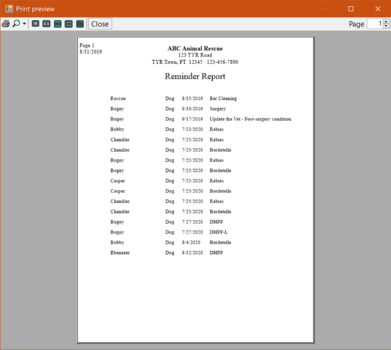
-
To print the report directly from the Print Preview dialog box to your default printer, click the Print button at the upper left.
-
To print the report to a different printer or to make specific print settings that require the Windows Print dialog box, do this:
1. On the TTR Home screen, click the Animals button to open the Manage Animals screen.
2.On the left side of the Manage Animals screen under Reminders, click the Vaccinations/Procedures button. The Vaccination and Procedure Reminders screen opens, displaying a list of all Vaccination and Procedure reminders in the system.
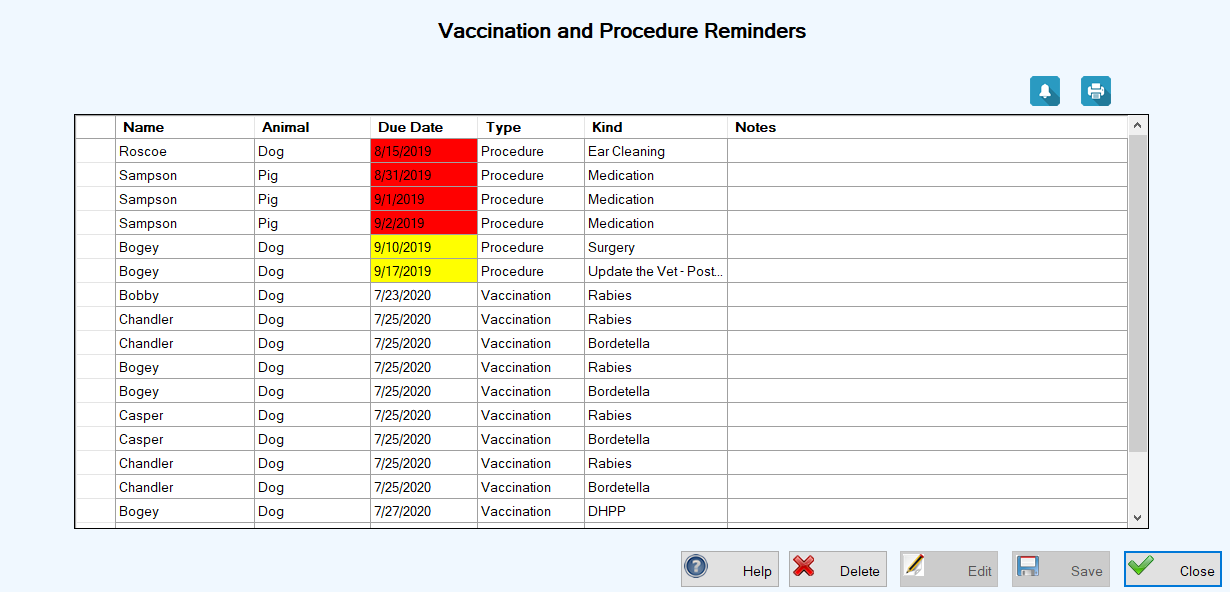
3. Follow Steps 2 through 4 above for viewing and printing the reminder report from the Vaccinations and Procedures button on the Home screen.
Viewing & Printing a “Med Reminders” List
1.Access the Med Reminders screen using one of these methods:
OR
– Click the Animals button on the TTR Home screen and then click the Meds button under Reminders at the lower left side of the Manage Animals screen.
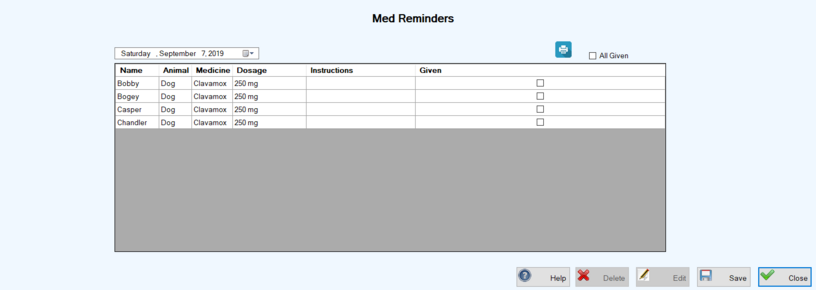
2. If necessary to see and print the reminders for a different date, enter or select the desired date in the date field above the center grid on the left to display a list of reminders for that date.
3.Click the Print ( ) button above the center grid on the right to open the Med Reminders Report screen. The screen shows the date selected in Step 2.
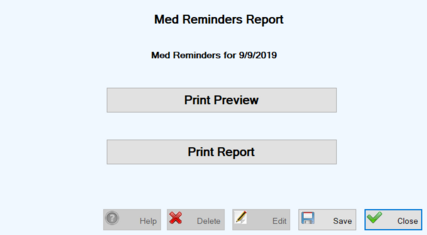
-
To print the report without viewing it first, follow Steps 3(b.) through 3(d.) above for viewing and printing the Reminder Report from the Vaccinations and Procedures button on the Home screen.
To view the report before printing it, follow Steps 4(b.) through 4(d.) above for viewing and printing the Reminder Report from the Vaccinations and Procedures button on the Home screen.