TO THEIR RESCUE (TTR) User Guide

⌘K
  1. Home
  2. TO THEIR RESCUE (TTR) Use...
  3. REMINDERS
  4. Viewing & Clearing Meds Reminders

Viewing & Clearing Meds Reminders

When you record the information for prescription medications administered to animals in your care, TTR creates automatic reminders based on the frequency, duration, and starting date information you entered for the medication.
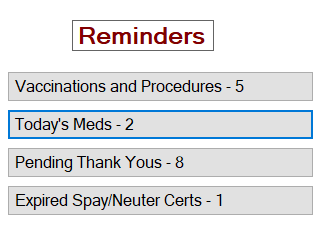
The number of medication reminders requiring attention today appears on a button on the TTR Home screen. (Note: If there are no reminders awaiting your attention, the number is 0.)
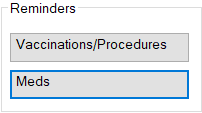
You can also view and print a list of uncleared medication reminders for any past, present, or future date using the Meds button in the Reminders section on the Manage Animals screen.
 
Below you will find instructions for these procedures:
  • Viewing & Clearing Medication (Med) Reminders from the TTR Home screen
  • Viewing & Clearing Medication (Med) Reminders from the Manage Animals screen

Viewing & Clearing Med Reminders from the TTR Home Screen

1. On the TTR Home screen, examine the number that appears on the Today’s Meds button under Reminders.
       

          – If the number is 0no action is necessary.
          – If the number is 1 or highergo to Step 2.

2. Click the Today’s Meds button. The Med Reminders screen opens, displaying the current date at the top left side of the center grid and a list of all reminders for today in the grid.
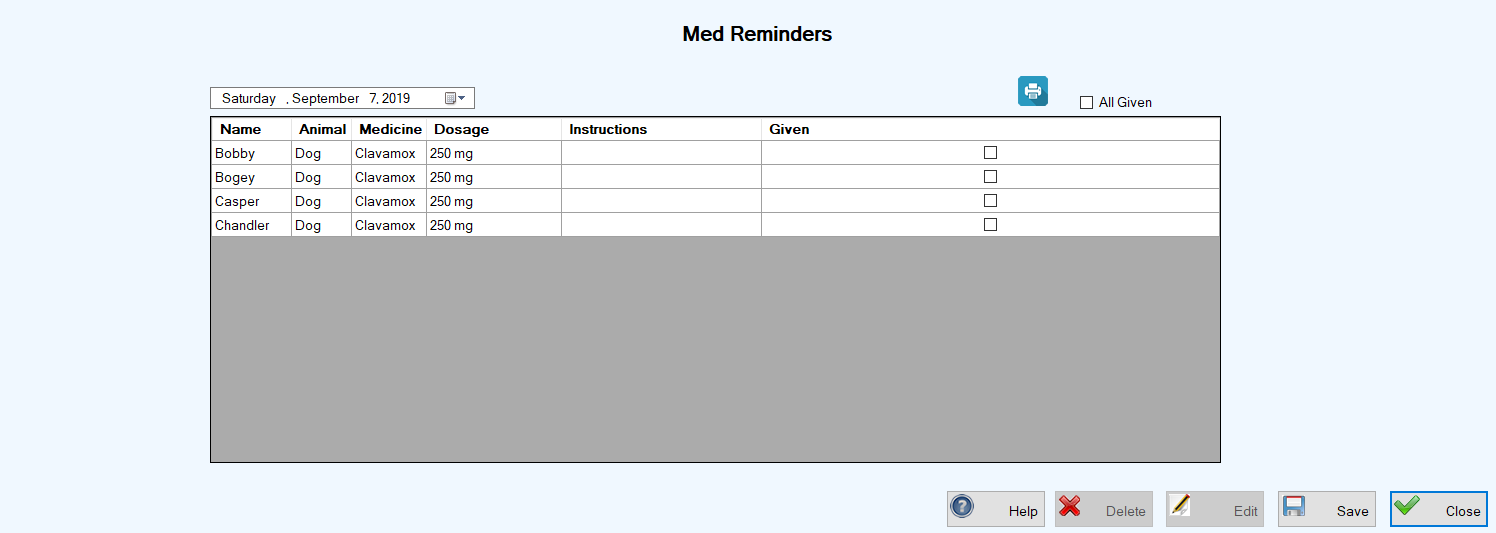
                                        Important Notes: From this screen, you can:

                                                                                                                                               (a.) Change the date to view reminders for other days.

                                                                                                                                               (b.) Print a list of today’s Med Reminders.


3.Clear the reminders using one of these two options:

(a.) Click each individual checkbox in the Given column in the grid after you have given the medication to that animal, repeating this step until all medications have been given, OR
(b.) After you have given the medications to all animals in the list, click the All Given checkbox above the grid to the right, to automatically select all checkboxes in the Given column.

4.Click Save after all checkboxes in the Given column have been selected. You are returned to the TTR Home screen, and the number on the Today’s Meds button in now 0.


Viewing & Clearing Med Reminders from the Manage Animals Screen

  1. On the TTR Home screen, click the Animals button to open the Manage Animals screen.
  2. At the lower left of the Manage Animals screen under Reminders, click the Meds button to open the Med Reminders screen.
  3. Follow Steps 3 and 4 above for Viewing & Clearing Med Reminders from the TTR Home Screen.

How can we help?