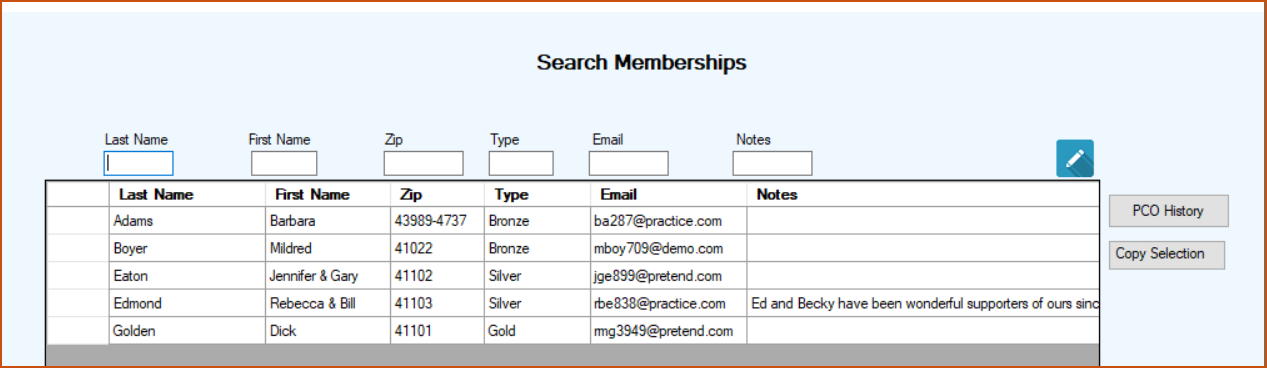
This program lets you search your PCOs that either are members or have ever been members.
When the Search screen initially appears it shows every PCO that has ever been a member of your rescue.
Like our other search programs you put a character, or characters, in the text box above the field that you want to search. The grid will then list the PCOs that either start with or contain that character or character sequence. You can enter additional characters in other text boxes to further filter your list.
Every field is a ‘Starts With’ field except Notes and it is a ‘Contains’ fields.
You can also sort the grid by clicking the column headers.
At any time you can transfer the contents of the grid to Excel by clicking in the uppermost, left hand cell of the grid to select all of the records and then clicking Copy Selection. Then go to Excel and click Paste or ‘Crtl V’.