-
Viewing & Clearing Vaccination Reminders from the Home screen
-
Viewing & Clearing Procedure Reminders from the Home screen
-
Viewing & Clearing Vaccination and Procedure Reminders from the Manage Animals screen
-
Deleting a Vaccination or Procedure Reminder
Viewing & Clearing Vaccination Reminders from the Home Screen
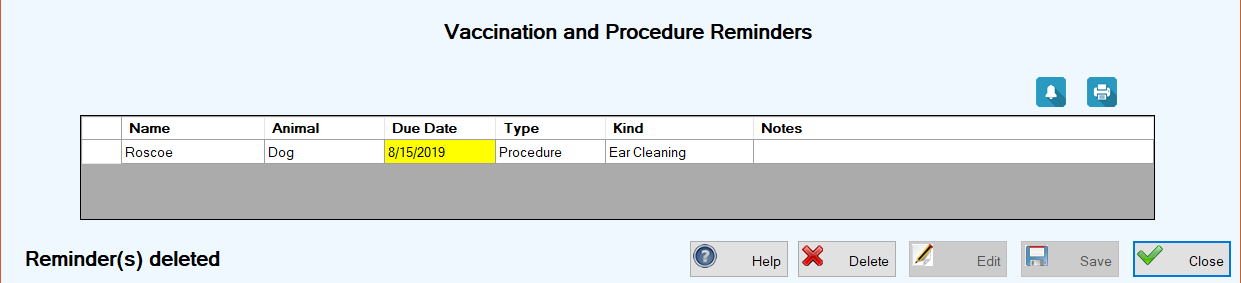
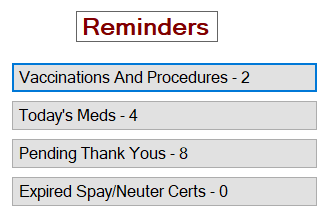
1.On the TTR Home screen under Reminders, if the number is 1 or higher on the Vaccinations and Procedures button, click the button to open the Vaccination and Procedure Reminders screen.
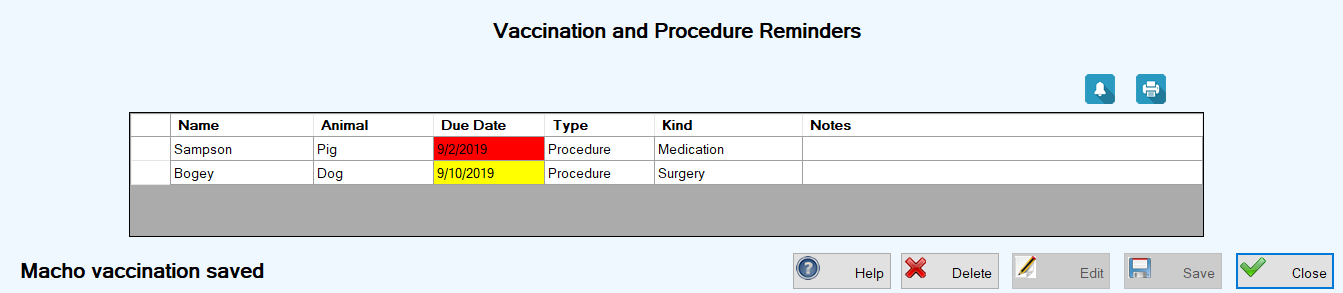
The center grid on this screen displays all vaccination and procedure reminders for the next 14 days, highlighted in yellow, as well as any uncleared reminders, highlighted in red.
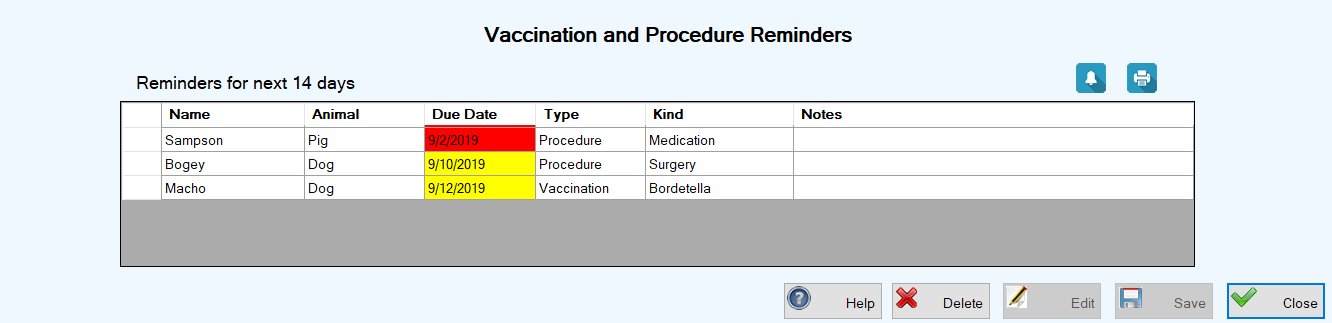
2.Select a single reminder of the Type “Vaccination” by clicking the leftmost cell on the row containing the reminder information.
3.Click the Complete Reminder ( )button above the grid to open the Vaccination screen.
4.Fill out the fields on the Vaccination screen by performing Steps 5 through 10 for Adding a New Completed Vaccination for an Individual Animal.
5.Click Save. You are returned to the Vaccination and Procedure Reminders screen where the reminder you just completed no longer appears in the grid, and a confirmation message appears in the lower left corner.
Viewing & Clearing Procedure Reminders from the Home Screen
1.Perform Step 1 above for Viewing & Clearning Vaccination Reminders.
2.Select a single reminder of the Type “Procedure” by clicking the leftmost cell on the row containing the reminder information.
3.Click the Complete Reminder ( )button above the grid to open the Procedure or Test screen.
4.Fill out the fields on the Procedure or Test screen by performing Steps 5 through 12 for Adding a New Completed Procedure or Test for an Individual Animal.
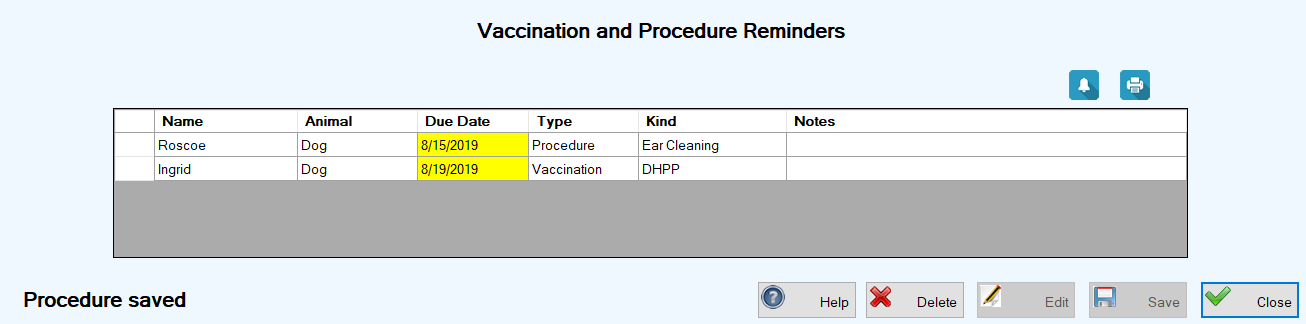
5.Click Save. You are returned to the Vaccination and Procedure Reminders screen where the reminder you just completed no longer appears in the grid, and a confirmation message appears in the lower left corner.
Viewing & Clearing Vaccination and Procedure Reminders from the Manage Animals Screen
1. On the TTR Home screen, click the Animals button to reach the Manage Animals screen.
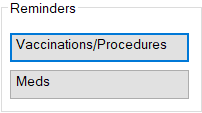
2.On the Manage Animals screen at the lower left under Reminders, click the Vaccinations/Procedures button to reach the Vaccination and Procedure Reminders screen.
The screen displays a list of every uncleared vaccination and procedure reminder in the system, regardless of date. Uncleared past reminders are automatically flagged in red and upcoming reminders are flagged in yellow.
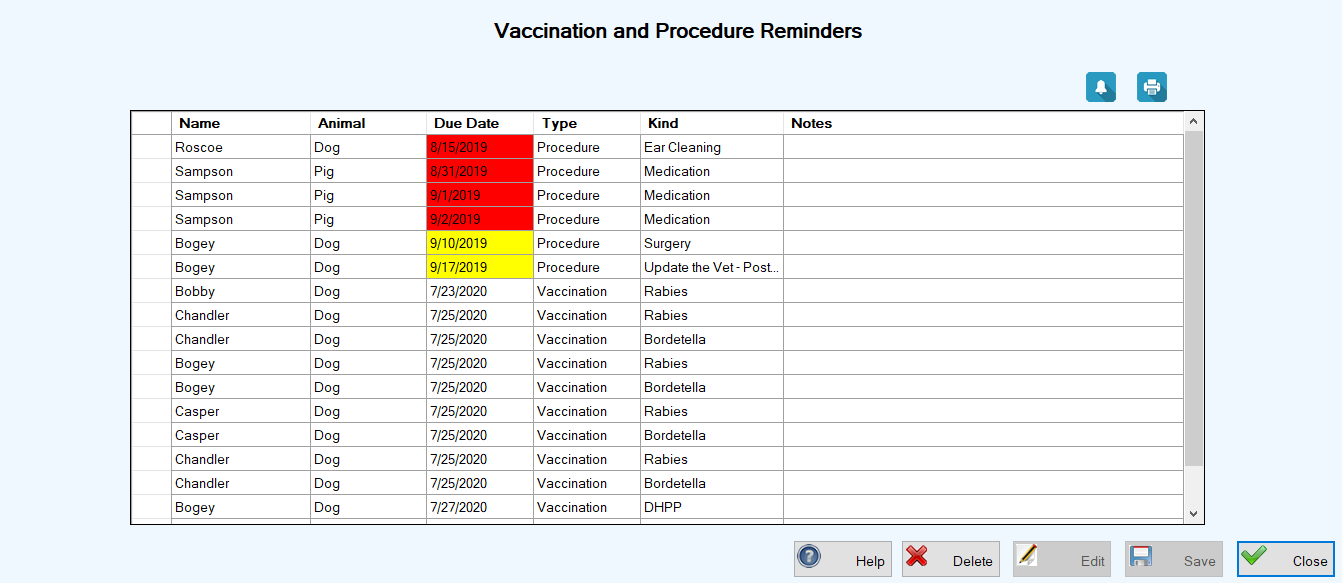
3.Select a single reminder of either Type by clicking the leftmost cell on the row containing the reminder information.
4.For the Type “Procedure,” follow Steps 3 through 5 above for Viewing & Clearing Procedure Reminders from the Home Screen.
For the Type “Vaccination,” follow Steps 3 through 5 above for Viewing & Clearing Vaccination Reminders from the Home Screen.
Deleting a Vaccination or Procedure Reminder
1.In the center grid on the Vaccination and Procedure Reminders screen, select the reminder you want to delete by clicking the leftmost cell on the row containing the reminder information.
2.Click the Delete button. A popup confirmation window appears.
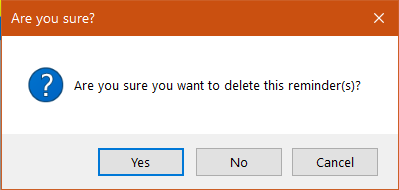
3.To complete the deletion, click Yes. You are returned to the Vaccination and Procedure Reminders screen where the deleted reminder no longer appears in the center grid and a confirmation message appears in the lower left corner of the screen.